Landed
2026
B2C
GovTech
Helping expats understand German letters 80% faster with AI
In 2023, Germany ranked last of 53 countries for expat essentials, and 56% of expats there found dealing with local authorities difficult, against a 38% global average. Landed is a Rails app that turns that bureaucracy into clear next steps: a guided relocation checklist, and an AI scanner that reads an official letter and tells you what it needs from you and by when.
Built in 2026 and in private beta with a small group of testers. The full flows are shown below as screen recordings. The source code and project documentation are available on GitHub.
How it started
I chose German bureaucracy because it's one of the hardest parts of moving to Germany. I wanted to understand exactly where people get stuck before we built anything, so the research came first.
I pitched the concept to three developers, and we gave ourselves one month to turn it into a working MVP: research and scoping first, then fifteen days of building, backend and frontend.
I led the design and worked as one of the four developers. I built the AI document scanner end to end, frontend and backend, plus the design system and most of the frontend. The other three developers built the rest of the backend, including the task logic. Since I was building my own designs, I only designed what we could actually ship before the deadline.
Problem
Nobody explains German bureaucracy to someone starting from zero
When you move to Germany, you get a lot of official letters. They're long and dense, the deadline is often hidden in the middle, and they rarely tell you what to do next. The guides I found assumed you already understood the system.
I spoke to 12 people at different points in their move. Their stories fell into three patterns, which I turned into personas. Sofia read every word of her health insurance letter and still couldn't tell if she had to reply this week or next month. Kwame's employer helped at the start, then stopped just as things got complicated. Lena was juggling her own paperwork, two school enrolments and her partner's permit, with nothing telling her what came first.
Reading the letter was only the first step. For all three, it came down to two problems:
They couldn't tell what a letter was asking them to do
They didn't know which task came first

Constraints
Scoping down to what fifteen days could hold
We had a hard deadline, and only fifteen days of it were for building. For each feature, we asked whether it helped us ship something that worked from start to finish. If it didn't, it waited.
Multi-user was the hardest cut. Lena's situation made a strong case for a shared workspace, but it would have taken too much of our build time and put the main features at risk, so we launched with one user per account.
I also kept the scanner desktop only, because people tend to deal with rental contracts and residence permits sitting at a computer.

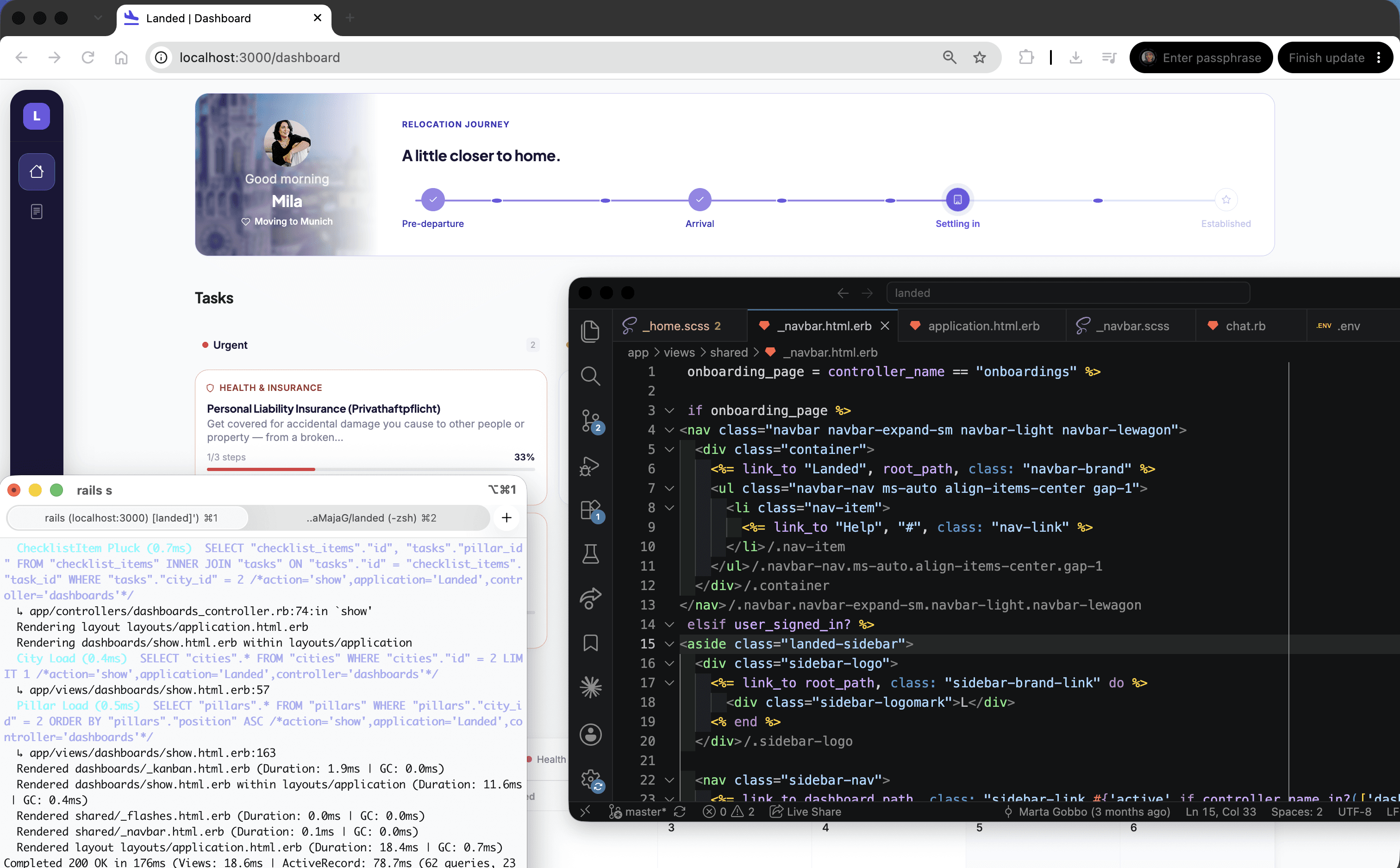
Before we built any screens, I set up a small design system: colours, type, spacing and the core components. It is sized to the product, so every token in it is used somewhere and none is a guess. Nobody had to pick a colour or spacing value under pressure, and every screen looked like part of the same product.
Two decisions did most of the work. Category and urgency never share a channel. The four pillars of a move (legal, housing, finance, health) each own a hue, and status runs on lightness: a soft tint for due soon, overdue and done, so a card says what it is and how urgent it is without the two competing. And colour fills never carry text. Every badge and pill pairs a light tint with a darker text colour from the same family, which keeps every text style above 4.5:1 with no exceptions to remember. One purple carries navigation and primary actions, green is reserved for success, and the page stays near white so the pillar colours do the sorting. After the build I measured the running product against the system, and the two agree.

Solution
Three moments designed around where people get stuck
The product follows the order people deal with a move in, with a screen for each moment: the dashboard shows what to deal with first, the task list breaks the move into manageable steps and keeps progress visible, and the document scanner turns a dense letter into the key facts and the next step.
Before we wrote any code, I sketched the three screens in Figma and presented them to the team, who approved the scope. From there we iterated on my Figma screens directly in code, which let us test real behaviour sooner in a fifteen-day build.
The task list breaks each part of the move into steps. A task opens into a short checklist with one active step at a time, and the later steps stay locked until the earlier ones are done, so people always know what to do next. Finished tasks move to done on the board, which keeps progress visible.
In the scanner, three decisions mattered most:
The letter next to the results. The original letter sits on the left and the facts the AI found sit on the right, so people can check each one against the sentence it came from. On an immigration letter, a wrong deadline is worse than no answer.
Key facts as the first message. My first build put the key facts, the explanation and the AI chat in separate cards. Once real letters went through it, the page had three places to start reading and was hard to scan, and an early tester in the middle of relocating confirmed it. So I merged them into one panel, where the key facts appear as the first message and questions go underneath.
Alerts for overdue items. If a deadline in the letter has already passed, the scanner flags it with an alert, so people know straight away that it needs action now.

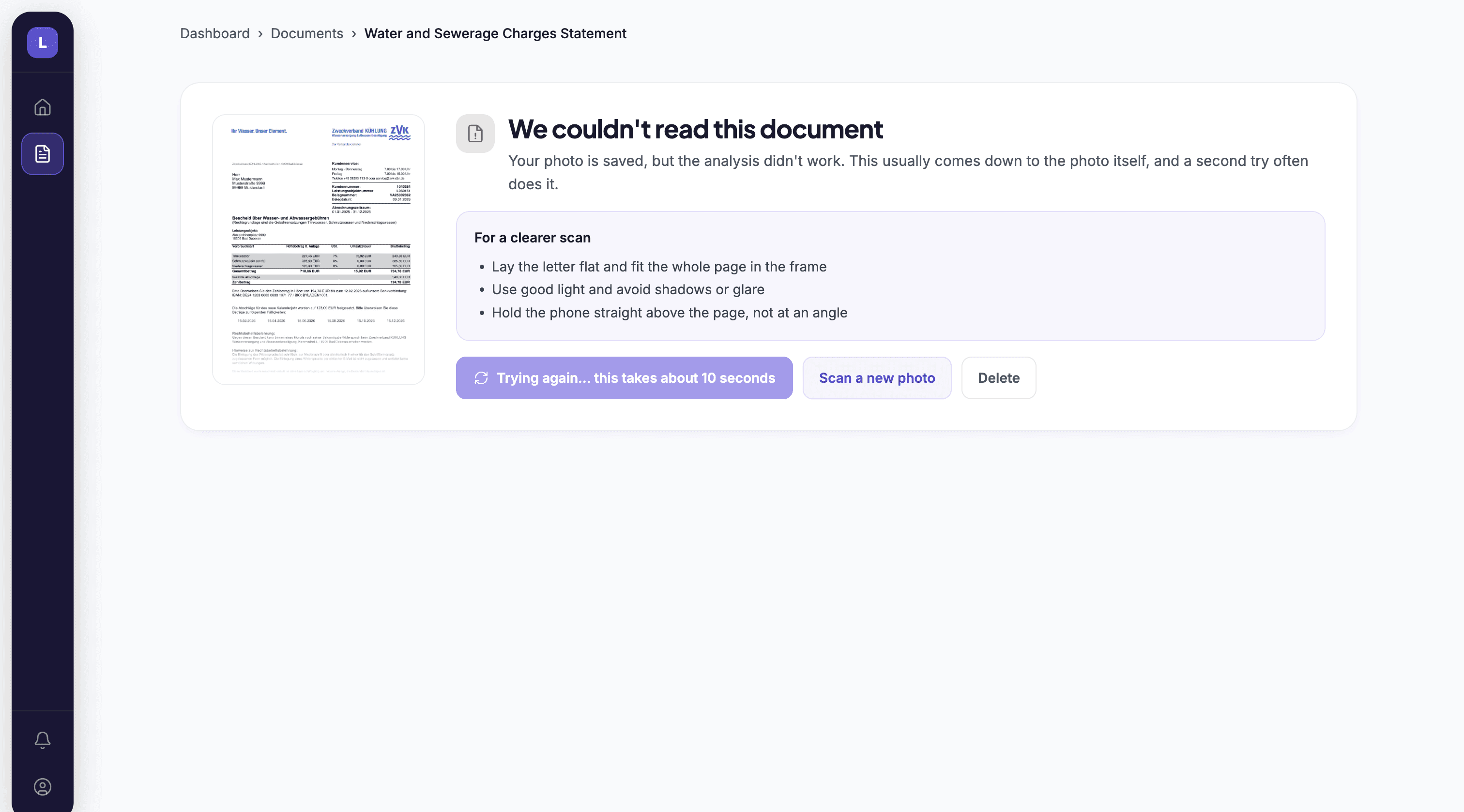
I also built error states for the moments where the scanner can let people down. If someone uploads a PDF, it explains that PDFs aren't supported yet and how to work around it, by uploading a photo or screenshot of the page instead.

If the analysis fails, the photo stays saved and people get tips for a clearer scan, so they can retry or upload a new photo without starting over. The AI chat has its own error state for when a reply doesn't come through.
To sum up the three moments and the problem each one solves:
Impact
What happened when real people used it
Five expats tested the scanner on their own documents. Their usual way of handling a letter, with Google Lens or a friend who spoke German, took 5 to 10 minutes, and they often still didn't know what to do. With Landed it took about a minute, and the scanner found the right details in all five documents.
I stopped the clock once they could tell me what the letter wanted and by when, so the time measures understanding as well as speed. I also gave them six tasks in the app, like finding a deadline or ticking off a step, and they got five of the six right on the first try.
"Watching the list shrink actually felt good. The scanner's not just there for show, it actually works."
Sofia C., one year in Berlin
"I threw a rental contract at it just to see. It picked out the right details right away."
Micky D., six years in Berlin
Reflection