AWS · Global sales organisation
2023-2024
B2E
EdTech
How my prototypes turned an unfunded idea into a VP-level priority
A learning platform for AWS's global sales organisation. I was the only designer, working with a senior UX researcher who was also product owner. I designed one connected journey, from a skills assessment to course recommendations, a peer view and an AI chat assistant.
Screens are recreated with a stand-in design system to show the design decisions. They don't show AWS's actual UI or any internal data.
How it started
A senior UX researcher had spent months pushing for a better learning platform for AWS sellers. He had a detailed proposal, but no funding and no designer to take it further.
I read through his research findings, the business requirements and the internal documentation, then started sending him ideas for where the product could go. From there I led the design, with him as researcher and product owner.
Problem
Used for compulsory training and little else
Training belonged to several teams, each taking good care of its own piece, but nobody owned the experience of moving between them. The platform also had several starting points that didn't link to each other. In the researcher's conversations with learners, it came down to two problems:
They didn't know where they stood
They didn't know what to do next
Constraints
Designing for a global sales organisation
This was an internal tool for AWS's global sales organisation, and I learned quickly that the rules of the building would shape the design as much as the users did:
I had to use the company's existing design system, so every screen uses only approved components and patterns.
Several teams each owned a different part of the training, so every proposal touched more than one roadmap and needed more than one sign-off. I tied each proposal to one of the two learner problems, so every team could see what it solved.
Decisions were often made by people who hadn't been in the working sessions, so I wrote down the reasoning behind each choice clearly enough for anyone to follow. Those write-ups later went into the handoff.
Solution
One journey, from assessment to next course
I designed one connected journey around the two questions from the Problem section:
Where do I stand? A short skills assessment feeds a skills profile that shows each skill as a strength, growing or a focus area, how it moved this quarter, and how it compares with the average for the same role and level.
What do I do next? The home view puts the next step first: courses to continue, what's due this week, and recommendations that say why they were picked, such as the biggest gap from the assessment. Early versions used tags like "Popular this week", which said nothing about the learner, so after reviews with the researcher every recommendation gives its reason.
AI Advisor, a chat assistant, is open from every screen and answers with courses and learning paths. The researcher and I added it beyond the original brief. AI was still new in 2023, so we treated it as an experiment and adjusted its scope as the business decided how far to take AI.
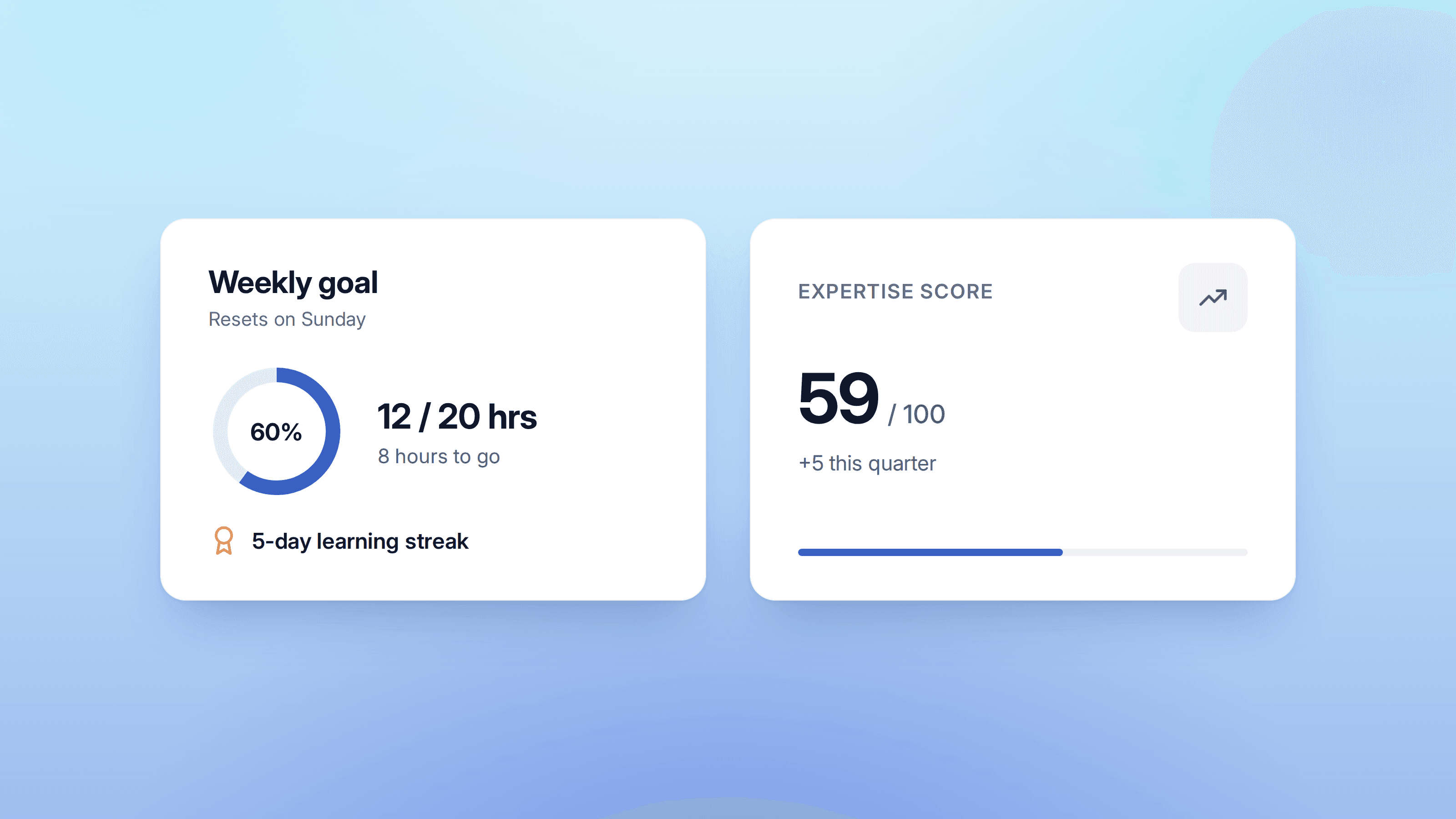
Most of the training was mandatory, so finishing a course felt like ticking a box. To give people a reason of their own to come back, I added an expertise score that grows as they learn and a streak for learning regularly. Both stay small on the screen, so the courses remain the focus.
A peer view, the other feature we proposed beyond the brief, shows what other sellers at the same level are learning and how far along they are, filterable by role and location, which helps people see where they stand on their own career path.
Three decisions shaped the product most:
Impact
What the prototypes changed
Before: a proposal waiting for funding.
After: a VP-level strategic priority. The designs went to a product team for the build.
The BRD was still waiting for funding, and the researcher gave me room to build on it. My own additions were one connected journey, recommendations that say why they were picked, and an expertise score and streak. I put them into clickable prototypes in Figma, because I thought decision makers would respond better to something they could click through.
The researcher took them into reviews with the VP and other senior leaders, alongside BRD updates I'd helped shape, which by then included AI Advisor and the peer view.
Marta is an excellent UX Designer, always curious to learn new trends, techniques, and tools for the job.
Enzo S. Senior UX researcher and product owner on this project, now a generative AI product manager
Reflection